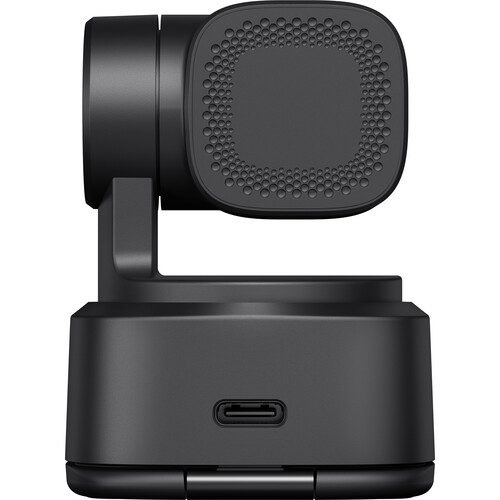
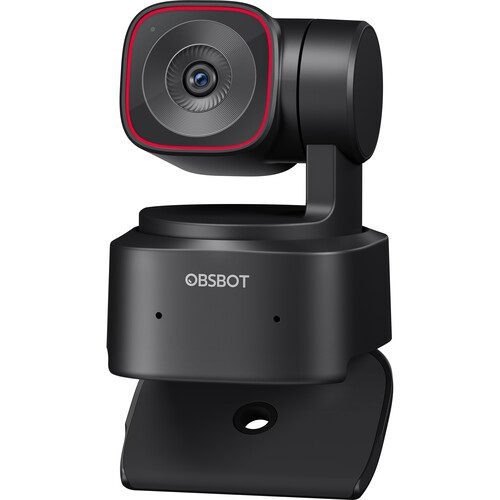
The OBSBOT Tiny 2 Lite is an AI-powered 4K PTZ webcam designed for professional video calls, online meetings, live streaming, content creation, online education, presentations, remote work, and other video applications. Combining a high-resolution 1/2-inch CMOS sensor, AI-powered tracking, automatic zoom, a two-axis gimbal, autofocus, HDR, gesture controls, and built-in noise-reducing microphones, the Tiny 2 Lite provides a versatile camera solution for users who want more flexibility than a conventional fixed webcam.
The camera features a 1/2-inch CMOS image sensor with 48-megapixel effective pixels and an f/1.8 aperture. This sensor is designed to capture detailed images while also providing improved performance in different lighting conditions. OBSBOT combines the sensor with image-processing technology to provide clear video for meetings, streaming, presentations, and other applications.
The Tiny 2 Lite supports Ultra HD 4K video at up to 30 frames per second. It also supports Full HD 1080p at up to 60fps and 720p at up to 60fps. This gives users the ability to select the resolution and frame rate that best suits their application, computer, network connection, or streaming requirements.
One of the biggest features of the Tiny 2 Lite is its AI-powered tracking system. The camera can automatically detect and follow a person while keeping the subject appropriately positioned within the frame. This is particularly useful for presenters, teachers, instructors, streamers, and anyone who needs to move around while remaining visible on camera.
The AI tracking system also supports automatic zoom. Instead of keeping a fixed view while the subject moves closer or farther away, the camera can automatically adjust the framing to maintain an appropriate composition. OBSBOT describes this as AI Tracking with Auto Zoom.
The Tiny 2 Lite provides several tracking modes designed for different shooting situations. These include upper-body tracking, close-up tracking, lower-body tracking, and headless tracking. This flexibility allows users to choose a tracking style appropriate for presentations, demonstrations, tutorials, performances, and other activities.
For content creators, the tracking functionality can be particularly useful because it reduces the need for manual camera operation. A presenter can move within the camera's tracking area while the Tiny 2 Lite automatically adjusts its position to keep the subject in view.
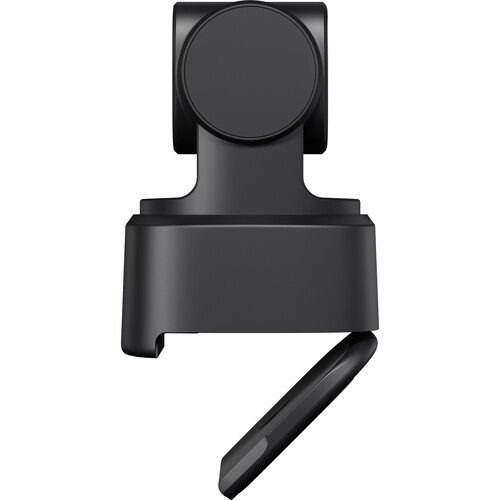
The camera uses a two-axis mechanical gimbal for pan and tilt movement. The controllable pan range is ±140 degrees, while the controllable tilt range extends from approximately 30 degrees downward to 70 degrees upward. The mechanical range is wider, with pan up to ±150 degrees and tilt up to ±90 degrees.
The gimbal can move at speeds of up to 120 degrees per second, allowing the camera to respond quickly to changes in the subject's position. This contributes to smoother automated tracking and provides users with greater control over camera positioning.
The Tiny 2 Lite also supports autofocus using PDAF, or Phase Detection Auto Focus. This allows the camera to quickly detect the subject and adjust focus. Manual focus is also supported, giving advanced users greater control when required.
The webcam supports HDR, which can help improve image handling in scenes with differences between bright and dark areas. This can be useful when a user is positioned near a window or working in an environment with uneven lighting.
The camera supports up to 4x digital zoom. Users can adjust the zoom to change framing or focus more closely on the subject when required.
Another useful feature is Gesture Control 2.0. The Tiny 2 Lite can recognise supported hand gestures, allowing users to control certain camera functions without physically touching the computer or webcam. Supported gestures can be used to activate tracking and adjust zoom, providing a convenient hands-free control method.
This is particularly useful for presenters and instructors who may be standing several feet away from the computer. Instead of interrupting the presentation to reach for a mouse or keyboard, supported gestures can provide convenient camera control.
The webcam also supports hand tracking. OBSBOT explains that the hand-tracking feature is designed to accurately capture movements of both hands within a defined area. This can be useful for artists, instructors, craftspeople, teachers, product demonstrators, and other creators who need to demonstrate hand movements on camera.
For online teaching, this can be especially useful. A teacher demonstrating handwriting, crafts, artwork, technical procedures, or other hands-on activities can use the camera's tracking capabilities to keep the relevant subject within the frame.
The Tiny 2 Lite also includes Preset Modes. Users can preset PTZ positions and other camera parameters so they can quickly switch between preferred camera configurations. OBSBOT states that tracking mode, image settings, and other parameters can be configured as part of these presets.
This feature can save time for users who regularly operate the webcam in different environments. For example, a content creator can configure one preset for close-up presentations and another for wider shots.
The webcam supports different shooting orientations, including landscape and portrait modes. This makes it suitable for conventional video conferencing as well as content intended for platforms that use vertical video.
The built-in two-axis gimbal also supports upside-down installation, providing additional flexibility for different mounting arrangements. The camera includes a built-in stand and a standard 1/4-inch interface for compatible mounting equipment.
The Tiny 2 Lite includes two built-in omnidirectional microphones with noise reduction. OBSBOT specifies noise-reduction and automatic-gain-control audio modes, helping the webcam capture clearer voice audio during video calls and recordings.
OBSBOT also provides adjustable noise-cancellation levels through its software, allowing users to configure the microphone behaviour for different environments. This can be helpful in offices, homes, classrooms, and other spaces where background noise may be present.
The integrated microphones mean that users can create a basic video-conferencing setup without immediately needing a separate external microphone. For professional recording and streaming, users can still choose a dedicated microphone when additional audio equipment is preferred.