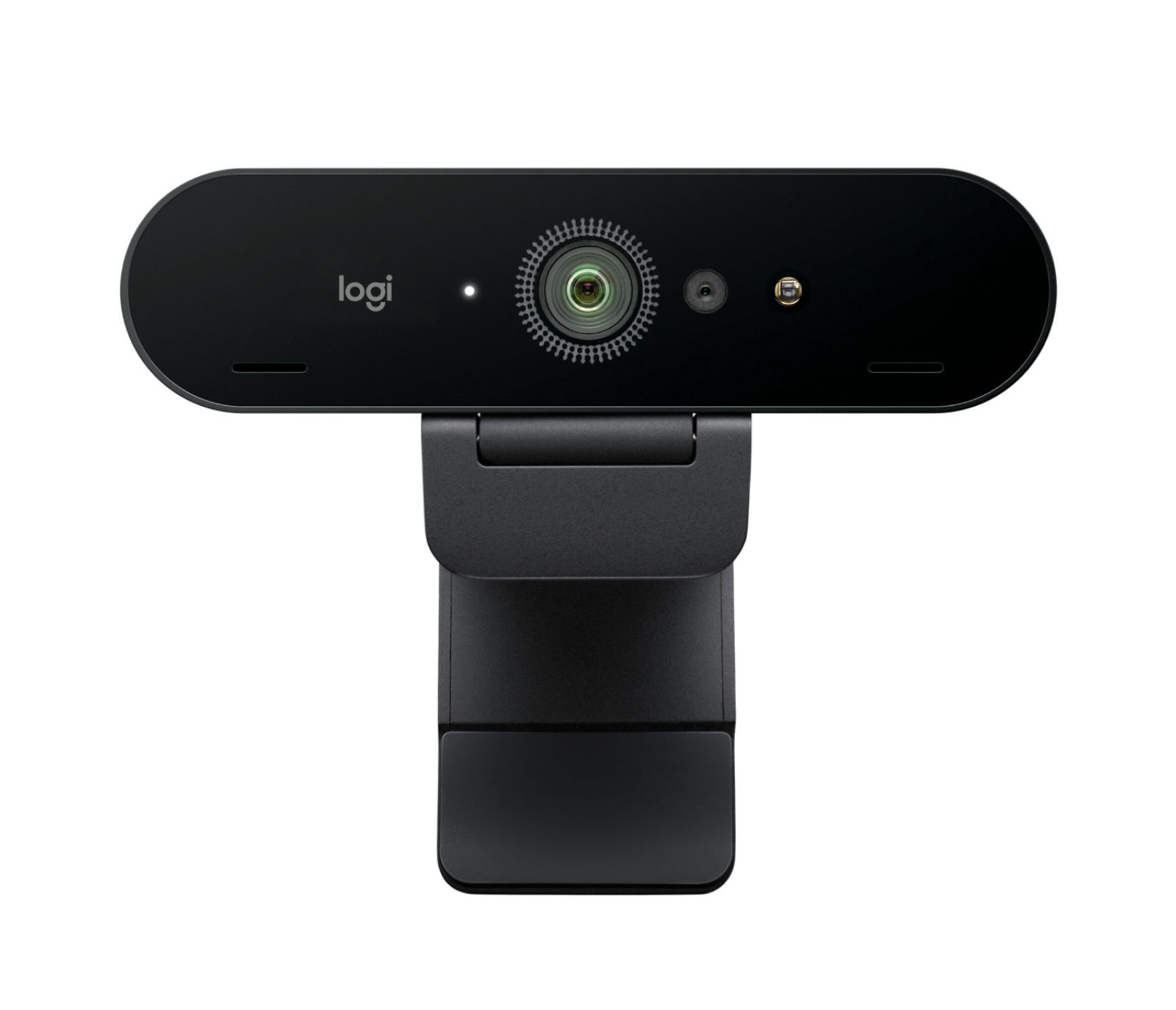
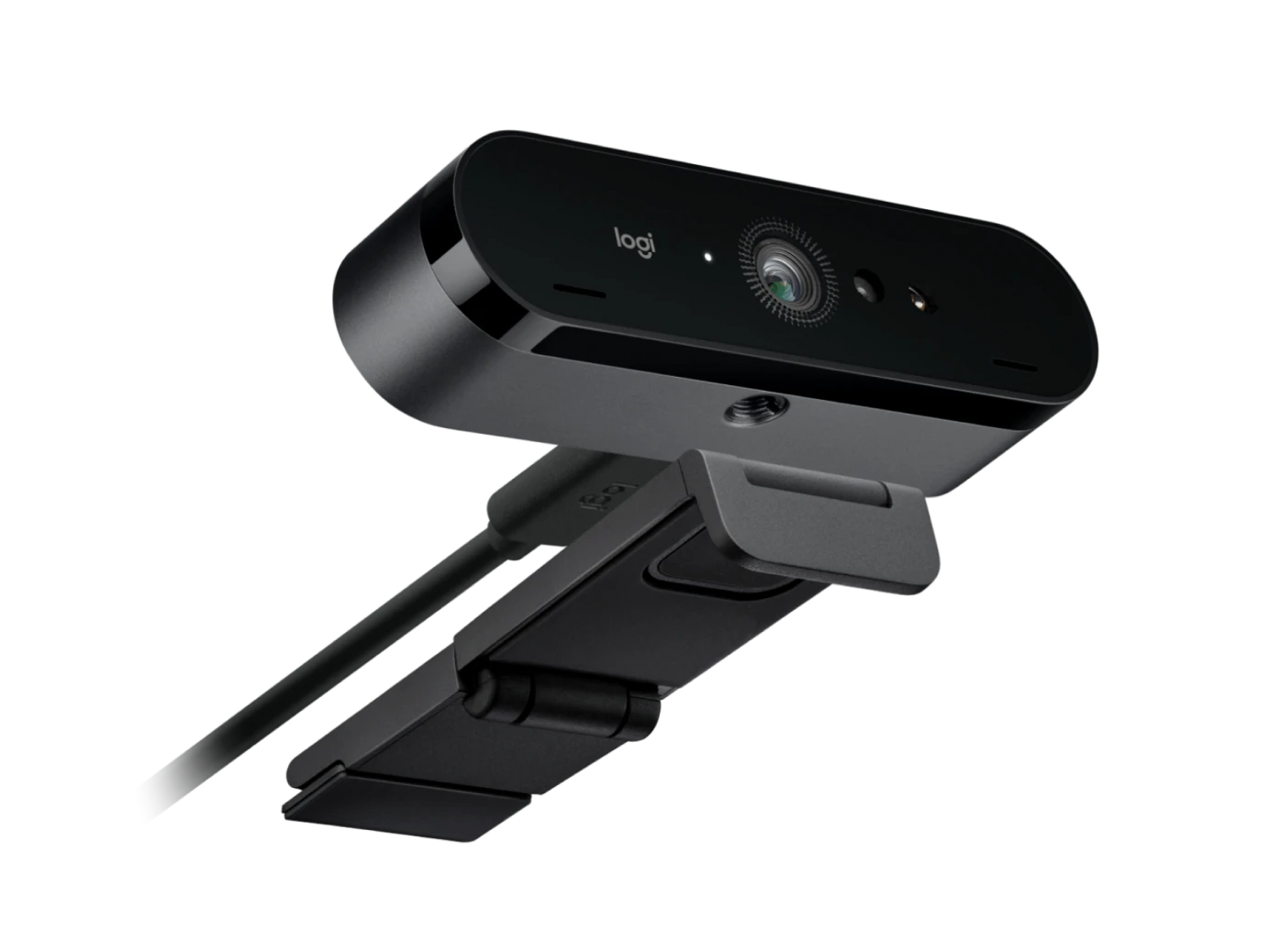
The Logitech BRIO 4K Webcam is a professional Ultra HD webcam designed for high-quality video calls, online meetings, streaming, content creation, remote work, online learning, and business communication. Combining a 13-megapixel image sensor, 4K Ultra HD video, HDR support, autofocus, adjustable field of view, 5x digital zoom, dual omnidirectional microphones, and Windows Hello support, BRIO provides a versatile camera solution for modern computers and professional workspaces.
The BRIO delivers Ultra HD 4K video at up to 30 frames per second, providing detailed and sharp video for supported applications and displays. It can also record or stream in Full HD 1080p at up to 60fps and HD 720p at up to 90fps. This range of resolutions allows users to select the video quality and frame rate that best suits their application, internet connection, and computer setup.
The 13MP image sensor captures detailed video, making the webcam suitable for professional video conferencing, live streaming, online presentations, virtual meetings, interviews, and other situations where clear image quality is important. The 4K capability provides additional detail when compared with standard HD webcams, provided the application and computer support the higher resolution.
BRIO also features autofocus, allowing the camera to automatically maintain focus on the subject. This is particularly useful during meetings and presentations when the user may move slightly closer to or farther away from the webcam. The autofocus system helps maintain a clear image without requiring constant manual adjustment.
The webcam provides three diagonal field-of-view options: 65°, 78°, and 90°. This adjustable viewing angle gives users greater control over how much of their surroundings appear in the video frame. A narrower view can focus more closely on the user, while a wider view can include additional people or more of the surrounding workspace.
BRIO also provides up to 5x digital zoom. The zoom function allows users to enlarge the image and adjust the framing according to the requirements of the video call, presentation, recording, or streaming session.
One of the key technologies built into BRIO is Logitech RightLight 3. The automatic light correction system is designed to improve image quality across different lighting conditions, including low light, bright environments, direct sunlight, and high-contrast situations. This can help produce a more balanced image when the lighting around the user is less than ideal.
BRIO also supports HDR on compatible configurations, helping the camera handle challenging lighting conditions and preserve greater detail between brighter and darker areas of the image. This can be particularly useful when the user is sitting in front of a bright window or working in an environment with uneven lighting.
For audio, the Logitech BRIO includes two integrated omnidirectional microphones with noise-cancelling technology. Logitech specifies microphone pickup from up to approximately 1.2 metres, making the built-in microphones suitable for typical individual video meetings and calls.
The integrated microphones eliminate the need for a separate microphone for many everyday video-conferencing situations. Users can connect the webcam and use its built-in audio system for compatible applications, helping keep a desktop workspace clean and simple.
The webcam is designed for professional video collaboration and supports popular video-conferencing platforms. Logitech lists compatibility with Windows, macOS, ChromeOS, and most major platforms and operating systems used for workplace communication.
BRIO also supports Windows Hello through its integrated optical and infrared sensor technology. On compatible Windows systems, Windows Hello can use facial recognition to provide a convenient way to sign in to the computer. This makes BRIO more than simply a video camera; it can also serve as part of a compatible Windows biometric login setup.
For business users, the Logitech BRIO is well suited to professional video conferencing. Its 4K capability, autofocus, adjustable field of view, automatic light correction, and integrated microphones provide a comprehensive setup for virtual meetings.
Remote workers can use BRIO for meetings with colleagues, customers, suppliers, and business partners. The adjustable field of view can help users frame themselves appropriately, while the autofocus and RightLight 3 technology help maintain a clear image during calls.
The webcam is also suitable for online education. Teachers can use it for virtual classes, lectures, presentations, and recorded lessons, while students can use it for online classes, interviews, presentations, and virtual meetings.
For content creators and streamers, BRIO provides 4K recording capability and adjustable framing options. The 1080p/60fps mode can also provide smoother video for supported streaming and recording applications. The 720p/90fps mode is available where the application supports the higher frame rate.
The camera uses a glass lens and an autofocus system. The combination of the high-resolution sensor and glass optics is designed to provide detailed video for compatible applications.
Privacy is also considered in the BRIO design. An attachable privacy shutter is included, allowing users to physically cover the camera lens when the webcam is not being used. This provides a simple way to prevent the camera from capturing an image when privacy is required.
The BRIO uses a USB connection and supports USB-A plug-and-play while also supporting USB-C through compatible connection arrangements. The included cable is approximately 1.5 metres long, providing flexibility when positioning the webcam on a desk or monitor.
The webcam can be mounted using its adjustable universal clip. The clip can be attached to compatible monitors, LCD displays, and laptops, allowing users to position the camera at a suitable height for video calls.
BRIO also includes a standard 1/4-inch tripod mounting thread. This allows users to remove or reposition the mounting clip and install the webcam on a compatible tripod when a different camera position is required.
The compact construction makes BRIO suitable for both permanent desktop setups and portable workstations. The webcam measures approximately 102mm wide, 27mm high, and 26.5mm deep, while the camera itself weighs approximately 65 grams excluding the cable.